Create routed self-service networks
Overview
This guide describes how to create a dual-stack network with globally routable IP addresses.
Warning
Please note that every virtual machine or load balancer created in such a globally routable network is immediately reachable from the Internet, so plan your security groups accordingly.
Note
This feature is only available behind OpenStack routers connected to the "fc-external-ha" provider network.
Prerequisites
- You know the basics of using the OpenStack CLI-Tools.
- Environment variables are set, like shown in the API-Access-Tutorial.
Create network using the GUI
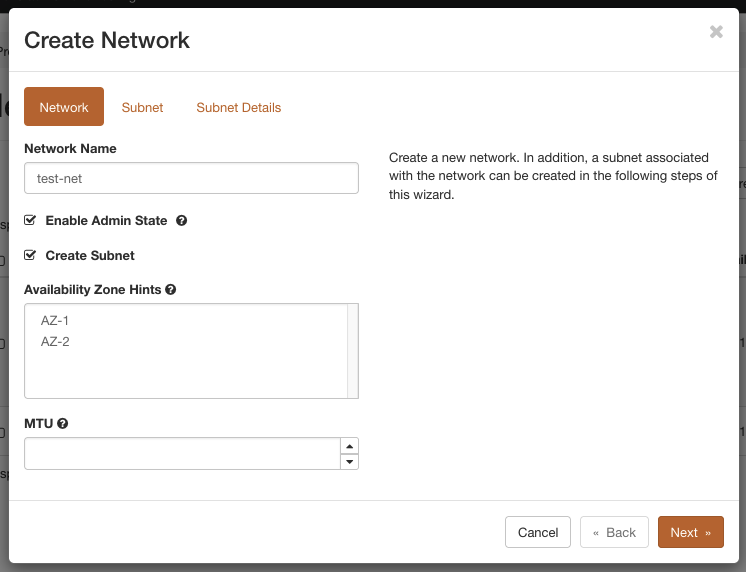
In the firstcloud Dashboard navigate to "Network" -> "Networks" and click on the button "Create Network". Define a name for the new networks and click on "Next".
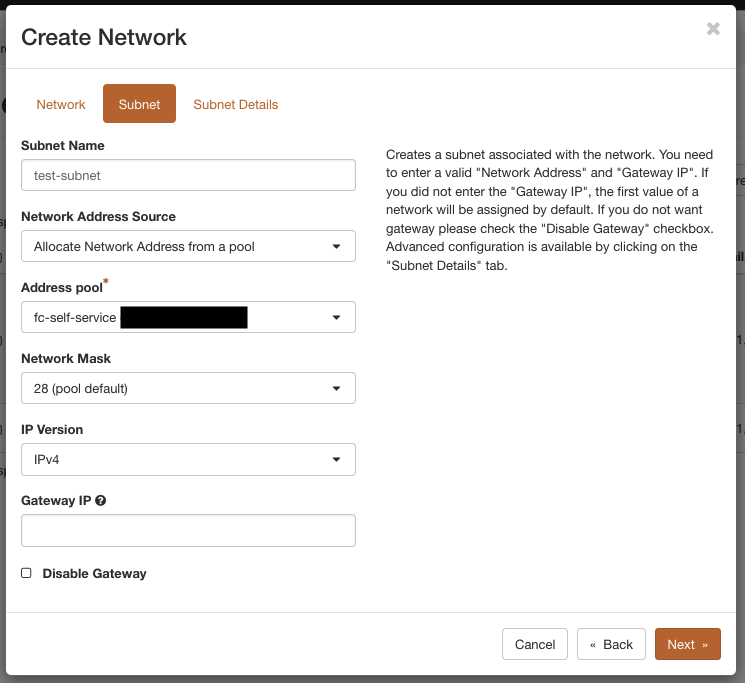
In the following view, the details of the first subnet are requested. Define a name and choose "Allocate Network Address from a pool" as "Network Adress Source". Then select the "fc-self-service" pool or your own BYOIP pool and click on "Next".
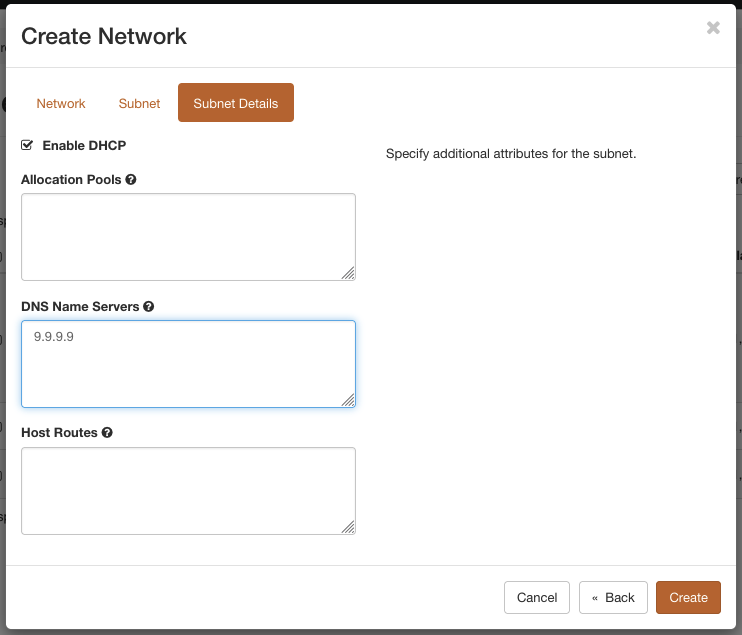
In the last step, add one or more DNS name server IPs and click on "Create".
To add a IPv6 subnet for dual stack operation, click on the newly created network, navigate to the tab "Subnets" and click "Create Subnet". Define a name, choose the pool "fc-self-service6" as address source and change the "IP Version" to "IPv6". Then click on "Next".
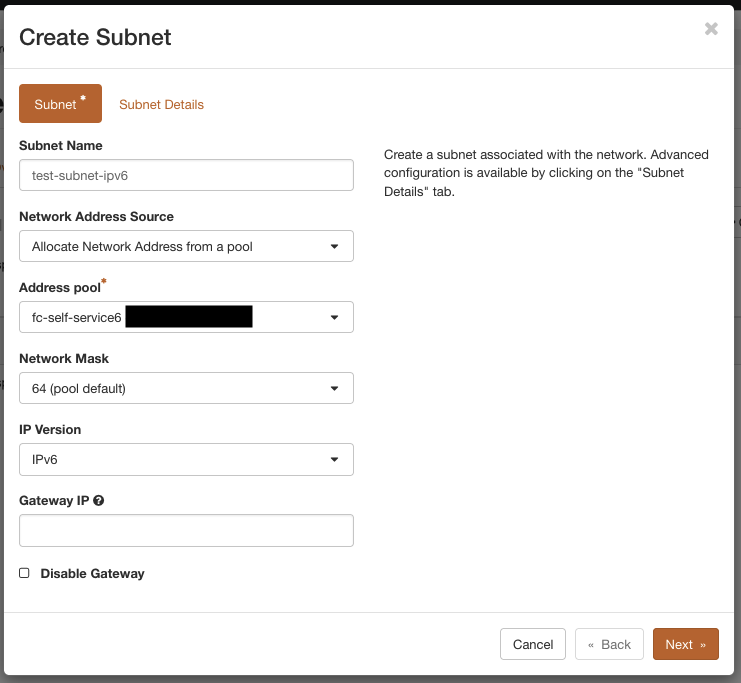
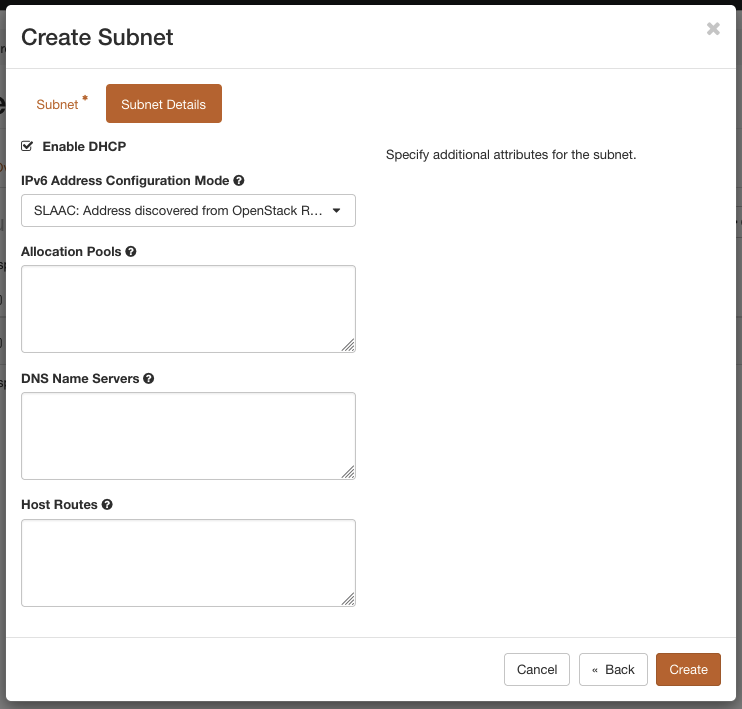
Change the "IPv6 Address Configuration Mode" to "SLAAC: Address discovered from OpenStack Router" and click on "Create".
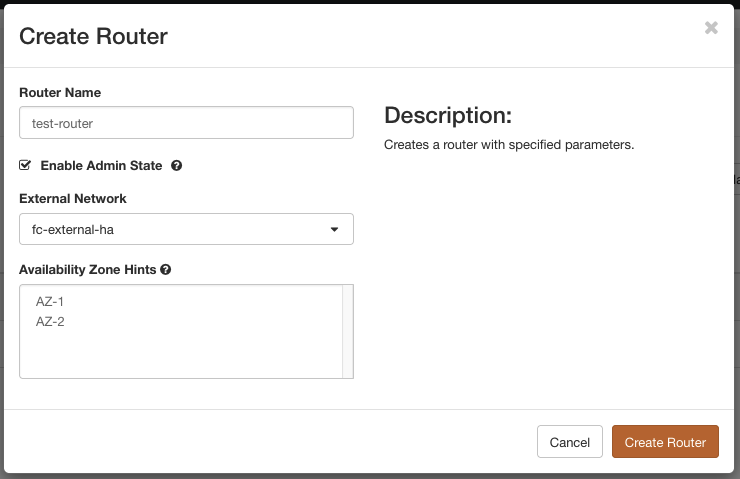
Finally, a router needs to be created for external connectivity. Navigate to "Network" -> "Routers" and click on "Create Router". Define a name and select "fc-external-ha" as "External Network". Then click on "Create Router".
Next, click on the newly created router and navigate to the tab "Interfaces". Use the "Add Interface" button to create interfaces for the two subnets created beforehand.
The network can now be used for creating virtual machines with public IP addresses.
OpenStack-CLI
You need to have the OpenStack-CLI installed and configured. After sourcing the openrc.sh the network and subnets can be created as follows:
openstack network create test-net

openstack subnet create \
  --network test-net \
  --subnet-pool fc-self-service \
  --ip-version 4 \
  --dns-nameserver 9.9.9.9 \
  test-subnet

openstack subnet create \
  --network test-net \
  --subnet-pool fc-self-service6 \
  --ip-version 6 \
  --ipv6-ra-mode slaac \
  --ipv6-address-mode slaac \
  test-subnet-ipv6

openstack router create \
  --external-gateway fc-external-ha \
  test-router

openstack router add subnet test-router test-subnet
openstack router add subnet test-router test-subnet-ipv6