Upload images
Overview
The Image service (glance) provides a service where users can upload and discover data assets that are meant to be used with other services. This currently includes images and metadata definitions.
Prerequisites
- You know the basics of using the OpenStack CLI-Tools.
- Environment variables are set, like shown in the API-Access-Tutorial.
Upload images using the GUI
First log in to the Dashboard
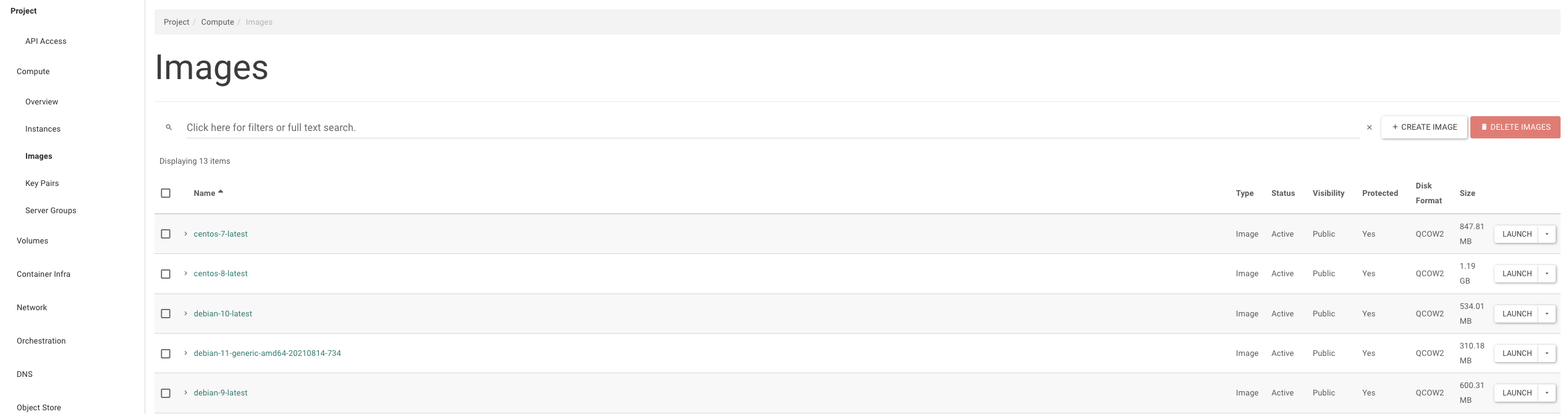
Now navigate to 'Compute' -> 'Images'
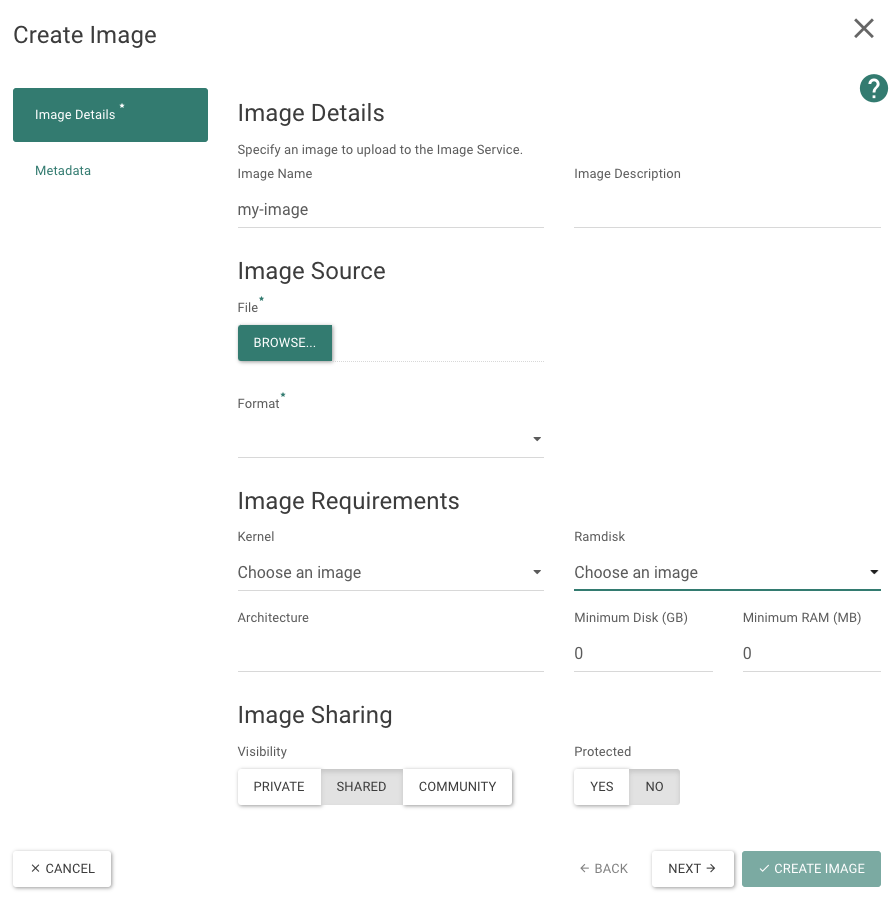
Here click on the button 'Create Image' Enter the required info and click on "Create Image" and now the custom image is uploaded into the firstcloud
OpenStack-CLI
You need to have the OpenStack-CLI installed and configured. After sourcing the openrc.sh you can easily upload your own image and use it right after, like this:
openstack image-create --disk-format=qcow2 \
--container-format=bare --property architecture=x86_64 --name="Debian Stretch" \
--location https://cdimage.debian.org/cdimage/openstack/current-9/debian-9-openstack-amd64.qcow2
Further reading
For more details on image concepts, see the Image Service (Glance) reference:
- Image visibility — Learn about private, public, shared, and community images and how to control who can access your images.
- Image protection — How to protect images against accidental deletion.
- Image properties — Additional properties like architecture, kernel, and RAMdisk that can be set when creating an image.
- Image sources — A list of standard image sources for commonly used distributions.